
249 lines
13 KiB
Markdown
249 lines
13 KiB
Markdown
[](README.md)
|
|
[](README-ru.md)
|
|
|
|
# BTHome THB1, THB2, THB3, BTH01, TH05 (HW: v1.3..1.6), TH05F
|
|
|
|
Custom firmware for Tuya devices based on the PHY622x2 chipset
|
|
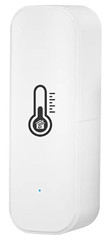
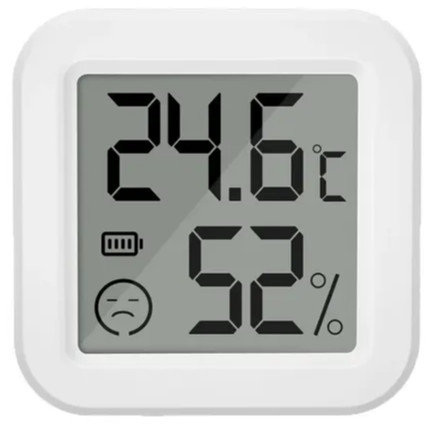
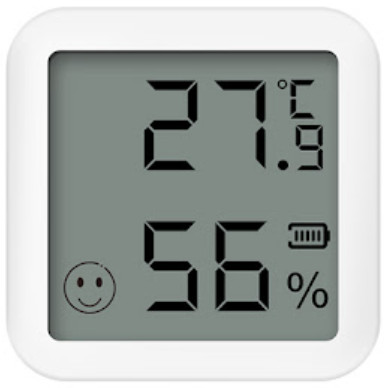
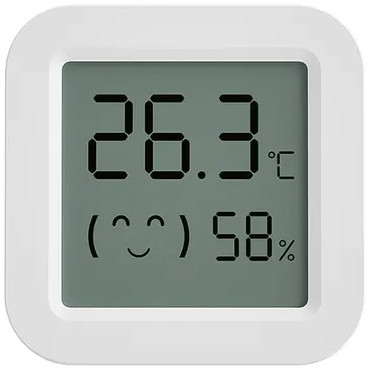
| [THB1](https://pvvx.github.io/THB1) | [THB2](https://pvvx.github.io/THB2) | [THB3](https://pvvx.github.io/THB3) | [BTH01](https://pvvx.github.io/BTH01/) | [TH05_V1.3](https://pvvx.github.io/TH05-v1.3) | [TH05_V1.4](https://pvvx.github.io/TH-05) | [TH05F](https://pvvx.github.io/TH05F) |
|
|
|:---:|:---:|:---:|:---:|:---:|:---:|:---:|
|
|
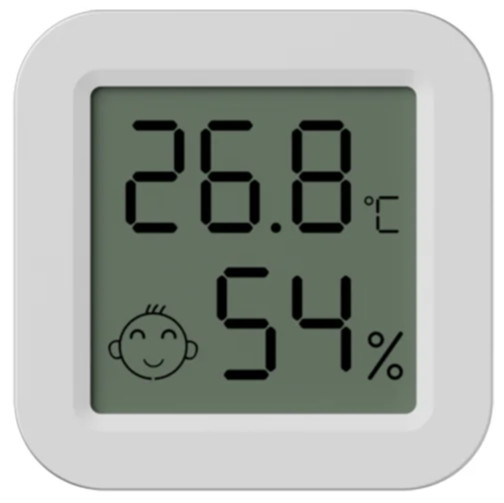
|  |  |  |  |  |  | 
|
|
|
|
All firmware supports any of the sensors: CHT8215 (CHT8310), CHT8305, AHT20..30.
|
|
|
|
* Software for setting up and BLE OTA [PHY62x2BTHome.html](https://pvvx.github.io/THB2/web/PHY62x2BTHome.html).
|
|
* Uploading OTA files to [PHY62x2BTHome.html](https://pvvx.github.io/THB2/web/PHY62x2BTHome.html) is automatic. You don't need to download files from this repository for OTA.
|
|
* To run [PHY62x2BTHome.html](https://pvvx.github.io/THB2/web/PHY62x2BTHome.html) offline, just copy the [html](https://github.com/pvvx/THB2/blob/master/bthome_phy6222/web/PHY62x2BTHome.html) file to a local folder.
|
|
|
|
## Boot and App firmware
|
|
|
|
* The [Boot](https://github.com/pvvx/THB2?tab=readme-ov-file#fw-boot-%D0%B8-ota) firmware has minimal functions. Boot is used only for OTA - for downloading the full-featured version of APP (Application - *.bin files).
|
|
* The device type can be distinguished externally by the smiley face symbol on the screen.
|
|
|
|
| Device | Boot file | OTA file | Printed circuit board labelling |
|
|
|:---:|:---:|:---:|:---:|
|
|
| [THB1](https://pvvx.github.io/THB1) | BOOT_THB1_v17.hex | THB1_v17.bin | no |
|
|
| [THB2](https://pvvx.github.io/THB2) | BOOT_THB2_v17.hex | THB2_v17.bin | no |
|
|
| [THB3](https://pvvx.github.io/THB3) | BOOT_THB2_v17.hex | THB2_v17.bin | no |
|
|
| [BTH01](https://pvvx.github.io/BTH01) | BOOT_BTH01_v17.hex | BTH01_v17.bin | no |
|
|
| [TH05_V1.4](https://pvvx.github.io/TH-05) | BOOT_TH05_v17.hex | TH05_v17.bin | TH05_V1.4, TH05_V1.5, TH05_V1.6 (chip: BL55028) |
|
|
| [TH05_V1.3](https://pvvx.github.io/TH05-v1.3) | BOOT_TH05D_v17.hex | TH05D_v17.bin | RSH-TH05-V1.3 (chip: BL55072) |
|
|
| [TH05F](https://pvvx.github.io/TH05F) | BOOT_TH05F_v17.hex | TH05F_v17.bin | TH05Y_V1.1, TH05Y_V1.2 (chip: QD01 2332 NT) |
|
|
|
|
The main firmware files, BOOT_XXX_vXX.hex for programming via USB-COM adapter and XXX_vXX.bin for OTA, are located in the [bin](https://github.com/pvvx/THB2/tree/master/bin) directory.
|
|
|
|
Files for updating boot via OTA are located in the [update_boot](https://github.com/pvvx/THB2/tree/master/update_boot) directory. **The process of updating boot via OTA is not safe. Please check the battery level before doing this. If boot is working fine, there is no need to update to the new version. The need to replace boot with a new version will be announced later.**
|
|
|
|
The current boot version is **v1.7** for devices with CHT8305 sensor. For other variants, boot is not required from version **v1.4**.
|
|
|
|
## Main Features
|
|
|
|
! _With default settings_ !
|
|
|
|
* BLE advertisement interval in [BTHome v2](https://bthome.io) format is 5 seconds.
|
|
* Humidity and temperature sensor is polled every second BLE advertisement interval - period of 10 seconds.
|
|
* Battery voltage measurement is done every minute.
|
|
* The button is used for quick connection to old BT adapters. Pressing the button switches the BLE advertising interval to a shorter period (1562.5ms). The action will continue for 60 seconds, then the interval will be restored to the one set in the settings.
|
|
* The measured average consumption from a 3.3V source when scanning THB2 and BTH01 thermometers in passive mode is up to 8 µA. For TH05_V1.4 the average consumption is about 23 µA - [this is the current of the installed components](https://github.com/pvvx/THB2/issues/8#issuecomment-1908982171). Other versions with screen: with LCD on - 12 to 14 µA, with LCD off - 7 to 12 µA.
|
|
* Recording of history every 30 minutes
|
|
* Connection interval with Connect Latency - 900ms
|
|
* Supported temperature and humidity sensors: AHT30, CHT8305, CHT8215, CHT8310.
|
|
* Handling of input counter contact for transmitted [Open/Close events](https://github.com/pvvx/THB2/issues/10#issuecomment-1935169274)
|
|
* Processing of output contact switchable by set temperature and/or humidity with hysteresis.
|
|
* Support low-cost [BLE to Zigbee advertising repeater](https://github.com/pvvx/TLB2Z)
|
|
|
|
## Version History
|
|
|
|
| Version | Description |
|
|
|---|--- |
|
|
| 1.0 | First release version |
|
|
| 1.1 | Added trigger - TX2 output triggered by set temperature and/or humidity values with hysteresis. Transmission of the state of the RX2 output when connected. For thermometers with screen added display of smiley face with "comfort". Added: change of device name and MAC. |
|
|
| 1.2 | Processing and transmission of open/close events with counter from the output labelled "RX2" (for THB2 - "RX1"). |
|
|
| 1.3 | Added THB1 and TH05V1.3. Next step to reduce consumption for versions with LCD display and option to switch off the display. | 1.4 | Added THB1 and TH05V1.3.
|
|
| 1.4 | Connection stabilisation for all device variants. Added [TH05F](https://pvvx.github.io/TH05F). Correction of RTC progress. Changed BLE name for TH05_V1.3 to "TH05D". Added files for OTA Boot update. |
|
|
| 1.5 | Added option to encrypt BLE ads with BindKey. |
|
|
| 1.6 | Added averaging of battery voltage calculation, duplication of open/close contact and counter status 12..20 sec (multiple of ad interval) after triggering and then every 30 min. |
|
|
| 1.7 | Error correction (> 42 C) for sensor CHT8305 |
|
|
|
|
## Firmware
|
|
|
|
It is possible to flash the device with the Boot program via USB-COM adapter with 3.3V outputs.
|
|
|
|
1. Connect GND, TX, RX, RTS-RESET, VCC (+3.3B).
|
|
|
|
| Adapter | Device |
|
|
|---|---|
|
|
| GND | -Vbat |
|
|
| +3.3V | +Vbat |
|
|
| TX | RX1 |
|
|
| RX | TX1 |
|
|
| RTS | RESET |
|
|
|
|
If there is no RST pin on the adapter, then short the RESET pin to GND (-Vbat) and quickly open it when the script starts (it may take a few tries).
|
|
|
|
The name of the pins on the device can be found in the description at the links: [THB1](https://pvvx.github.io/THB1), [THB2](https://pvvx.github.io/THB2), [THB3](https://pvvx.github.io/THB3), [BTH01](https://pvvx.github.io/BTH01/), [TH05_V1.3](https://pvvx.github.io/TH05-v1.3), [TH05_V1.4](https://pvvx.github.io/TH-05)
|
|
|
|
2. Install python3 and the necessary libraries
|
|
|
|
```
|
|
pip3 install -r requirements.txt
|
|
```
|
|
|
|
3. Download the BOOT_XXX_vXX.hex file required for the specific device from the [bin](bin) directory.
|
|
|
|
4. Run:
|
|
|
|
```
|
|
python3 rdwr_phy62x2.py -p COM11 -e -r wh BOOT_xxx_vxx.hex
|
|
```
|
|
|
|
5. Boot flashing is complete. The device is operational. The adapter can be disconnected.
|
|
|
|
6. Download the full version of the firmware via OTA. To do this:
|
|
1. Apply power to the sensor.
|
|
2. Go to [PHY62x2BTHome.html](https://pvvx.github.io/THB2/web/PHY62x2BTHome.html).
|
|
3. Click the `Connect` button, look for the device, and connect.
|
|
4. Once connected, go to the `OTA` tab, select the required firmware (`.bin`) and click `Start`.
|
|
|
|
7. The device should reboot and be ready for use.
|
|
|
|
> Optional:
|
|
> * To pre-wipe the entire Flash, use the `-a` option.
|
|
> * To pre-wipe the Flash workspace, use the `-e` option.
|
|
> * With the USB-COM adapter it is possible to write the main firmware (APP) immediately:
|
|
> ```
|
|
> python3 rdwr_phy62x2.py -p COM11 -r we 0x10000 XXX_vXX.bin
|
|
> ```
|
|
|
|
## Saving the original firmware
|
|
|
|
1. Connect GND, TX, RX, RTS-RESET, VCC (+3.3B).
|
|
2. Run:
|
|
|
|
```
|
|
python3 rdwr_phy62x2.py -p COM11 -r rc 0x11000000 0x80000 ff_thb2.bin
|
|
```
|
|
|
|
3. Save the resulting ff_thb2.bin file.
|
|
|
|
## Restoring the original firmware
|
|
|
|
> Original Tuya firmware for a specific device type can be obtained from the links in the table at the beginning of this README.
|
|
|
|
1. Take the saved ff_thb2.bin file of the original firmware.
|
|
2. Connect GND, TX, RX, RTS-RESET, VCC (+3.3B).
|
|
3. Run:
|
|
|
|
```
|
|
python3 rdwr_phy62x2.py -p COM11 -b 1000000 -r we 0 ff_thb2.bin
|
|
```
|
|
|
|
> Not all USB-COM adapters support 1Mbit. Then remove the `-b 1000000` option or select a different baud rate.
|
|
|
|
4. The firmware has been flashed. The device works.
|
|
|
|
## 512 kilobyte flash allocation
|
|
|
|
| Address | Description | Size |
|
|
|---|---|---|
|
|
| 0x00000 | ROM used | 8 kilobytes |
|
|
| 0x02000 | Boot Info for ROM | 4 kilobytes |
|
|
| 0x03000 | FW Boot with OTA function | 52 kilobytes |
|
|
| 0x10000 | FW APP | 128 kilobytes |
|
|
| 0x30000 | History Recording | 304 kilobytes |
|
|
| 0x7C000 | Save Settings (EEP) | 16 kilobytes | 16 kilobytes |
|
|
|
|
## FW Boot and OTA
|
|
|
|
* `FW Boot` has an OTA function, but does not have a history function or any other add-ons. It is used to handle OTA for any failed or incorrect updates.
|
|
|
|
* `FW APP` has no OTA function, for OTA it reboots into `FW Boot`. It has additional features and extensions.
|
|
|
|
Supported features and services are described by the enabled bits in the 32-bit `dev_id.services` field.
|
|
|
|
`FW Boot` starts on startup, and if no button is pressed, checks whether or not there is an `FW APP` entry. If there is, it starts `FW APP`. If the button is pressed at startup, `FW Boot` is started.
|
|
|
|
When connected, it specifies:
|
|
|
|
_Software:_ **V**x.x - means `FW APP` is running.
|
|
_Software:_ **B**x.x means `FW Boot` is running.
|
|
|
|
On screen thermometers, if time display is not enabled, the first startup shows:
|
|
|
|
* "Boot 12" - Boot version 1.2 is running.
|
|
* "APP 12" - APP version 1.2 is running.
|
|
|
|
There are two ways to force a reboot to `FW Boot` from `FW APP`:
|
|
|
|
1. Switch off the power and hold down the button to switch on the power.
|
|
2. Issue the `7233` command in the `Service` menu of the PHY62x2BTHome.html program and disconnect the connection.
|
|
|
|
Complete reboot - Issue the `7201` command in the `Service` menu of the PHY62x2BTHome.html program and disconnect the connection.
|
|
|
|
Through USB-UART adapter, APP can be written immediately after boot. For example:
|
|
```
|
|
python3 rdwr_phy62x2.py -p COM11 -e wh ./bin/BOOT_TH05V13_v13.hex
|
|
python3 rdwr_phy62x2.py -p COM11 -r we 0x10000 ./bin/TH05V13_v13.bin
|
|
```
|
|
|
|
## Open/Close event and pulse counting
|
|
|
|
Since version 1.2 it is supported to poll a pin connected to a reed switch or a contact shorted to GND.
|
|
|
|
The maximum switching frequency is 100 times per second.
|
|
|
|
If the contact is rattling, then it is advisable to shunt the contact with a capacitor.
|
|
|
|
When closing or opening, a block of 5 BLE adverts is transmitted following each other after a period of 50 ms.
|
|
|
|
At each "Open" event a counter is added.
|
|
|
|
The counter value is transmitted together with each "Open/Close" event.
|
|
|
|
Input contact on the thermometer board:
|
|
|
|
* On [THB1](https://pvvx.github.io/THB1) - labelled as `RX`.
|
|
* On [THB2](https://pvvx.github.io/THB2) - labelled as `RX`.
|
|
* On [THB3](https://pvvx.github.io/THB3) - labelled as `RX`.
|
|
* On [BTH01](https://pvvx.github.io/BTH01/) - labelled as `RX2`.
|
|
* On [TH05_V1.3](https://pvvx.github.io/TH05-v1.3) - labelled as `RX0`.
|
|
* On [TH05_V1.4](https://pvvx.github.io/TH-05) - labelled as `RX2`.
|
|
|
|

|
|
|
|

|
|
|
|
## Temperature and/or humidity control output of an external device
|
|
|
|
The contact on the printed circuit board labelled "TX" or "TX2" is controlled with hysteresis setpoints for temperature and humidity.
|
|
It is possible to switch to inverse output control.
|
|
|
|
The setting is made in PHY62x2BTHome.html.
|
|
|
|
Output operation is assigned by setting the hysteresis value:
|
|
|
|
* If the hysteresis value is zero, there will be no switching.
|
|
* If the hysteresis value is greater than zero - switching (switching on) will occur at a value lower than the setpoint + hysteresis.
|
|
* If the hysteresis value is less than zero - switching (switching on) will take place at a value higher than setpoint + hysteresis.
|
|
|
|
## Reset basic settings
|
|
|
|
To reset basic parameters to initial values, take an Android smartphone and the "nRFConnect" app.
|
|
Connect to the device and in the service `0xFCD2` with characteristic `0xFFF4` write `56`.
|
|
|
|

|
|
|
|
* Pressing/releasing the button temporarily changes the connection interval for connection. Press the button briefly and connect in 60 sec. If you don't have time, press the button more often...
|
|
* The firmware checks all settings for compliance with Bluetooth SIG standards.
|
|
If the interval is more than 10 sec, it will set 10 sec is the maximum in the standard. So do other settings.
|
|
But not all BT adapters can work with 10 sec interval for connection.
|
|
* **When working with BLE in Linux it is mandatory to change Bluez options and/or kernel patches!**
|
|
|
|
---
|
|
|
|
## Build Firmware
|
|
|
|
The GNU Arm Embedded Toolchain is used to build the firmware.
|
|
|
|
To work in Eclipse, use project import and install toolchain.path.
|
|
|
|
See [this](https://github.com/pvvx/PHY62x2) for more information on PHY62xx chips.
|